
Format Guide
PNG vs JPG vs WebP vs AVIF: The Complete Format Guide for 2026
An exhaustive comparison of the four major web image formats — when to use each, what the trade-offs are, and how to migrate.
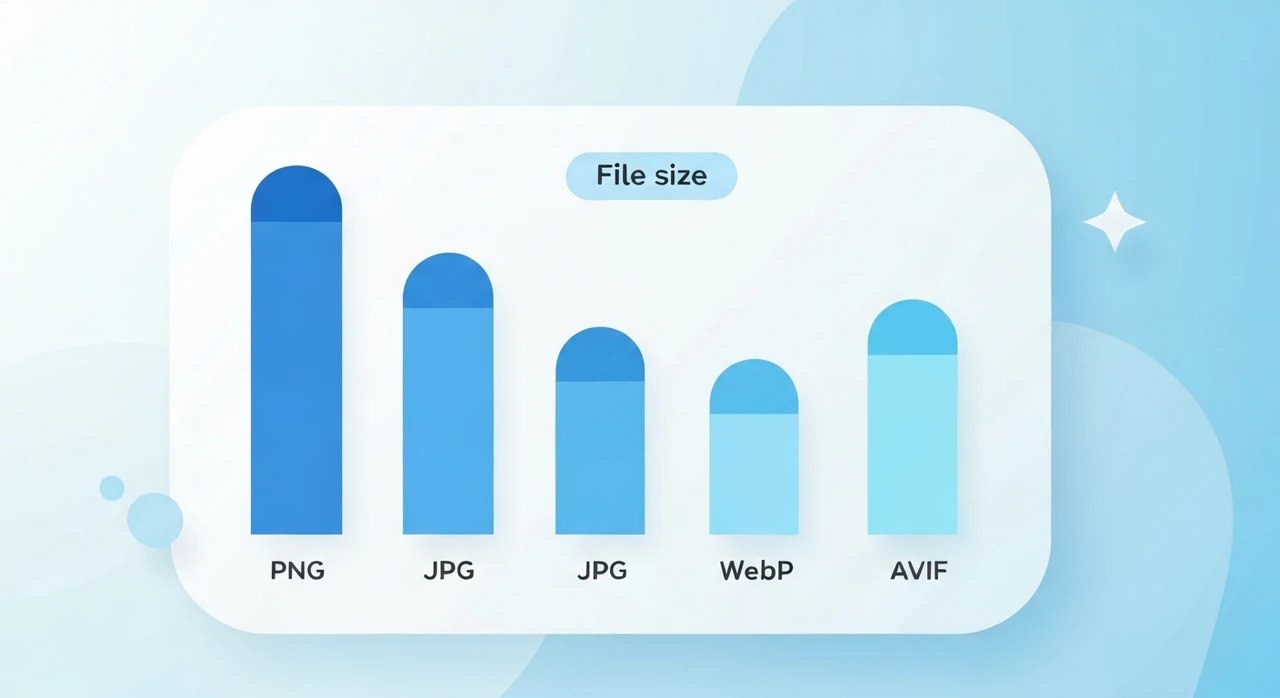
Picking an image format sounds boring until you realize how much of your page weight hinges on it. Over the past year we’ve audited a handful of content sites and found the same pattern on nearly every one: a 6 MB hero image that could have been 300 KB, silently costing the owner both SEO rank and mobile traffic.
Four formats dominate the modern web in 2026: PNG, JPG, WebP, and AVIF. They’re not interchangeable. Each one has a sweet spot, and treating them as the same costs real bandwidth and real money. Here’s how we choose between them when we’re optimizing for ourselves.
A 30-second cheat sheet
Skip to the bottom if you only want the verdict:
- For photographs, use AVIF when possible, WebP otherwise, JPG as a universal fallback.
- For logos, icons, and screenshots, stick with PNG. Use SVG if you still have a vector source.
- If the image needs transparency, anything except JPG works.
- For anything animated, use a video element. Animated GIF has no place in 2026.
The rest of this article explains why, and what we’ve learned from actually shipping each format.
The four formats
PNG (Portable Network Graphics, 1996)
PNG is a lossless raster format. Every pixel of the source image is preserved exactly. It supports an alpha channel for transparency and a wide range of color depths.
What it’s good at: truly lossless preservation (no re-encoding artifacts, ever), excellent handling of solid colors and hard edges, and universal browser and OS support going back to the late 1990s. If an image might ever be inspected pixel-by-pixel, PNG is the safe answer.
Where it falls down: photographic content. PNG was never designed for natural images, and even with
aggressive optimizers like
pngquant, you rarely beat WebP lossless on the same file. There’s also no real animation story:
APNG exists but compatibility is spotty enough that we wouldn’t ship it in production.
JPG / JPEG (Joint Photographic Experts Group, 1992)
JPEG is the original lossy format for photographic content, and despite being old enough to vote, it’s still the workhorse of the web.
Strengths: excellent compression for photographs and natural scenes with smooth gradients, universal support
(literally every browser, email client, and software product ever made), and decades of encoder tuning.
Tools like mozjpeg and guetzli have pushed the format close to its theoretical
limit. At quality 75–85 the files are tiny and indistinguishable from the source to most eyes.
Weaknesses: it’s lossy, so each re-encode chips a little more off the image. No transparency. Fuzzy halos around text and hard edges. And it maxes out at 8 bits per channel, which becomes visible as banding in subtle sky gradients.
WebP (Google, 2010)
WebP was Google’s attempt to replace three formats with one. It handles both lossy and lossless compression, transparency, and animation, and the files are noticeably smaller than what it replaced. It spent the better part of a decade in “coming soon” territory until Safari finally added support in version 14 (September 2020), and from that point on we’ve treated it as a safe default.
Numbers we see consistently in our own testing: 25–35% smaller than JPEG at equivalent visual quality, 26% smaller than PNG for lossless.
The trade-offs are real but narrow. Older email clients still don’t render WebP, so transactional email images are the one place we still reach for JPG. Editing tools have caught up, but PNG and TIFF are still the more common master formats in photography workflows.
AVIF (AV1 Image File Format, 2019)
AVIF is the still-image variant of the AV1 video codec, and it’s the best raw compressor on this list. Files run 30–50% smaller than the JPEG equivalent at comparable quality, and often smaller than WebP by another 20–30% on our test images. Transparency works, HDR works, and 12-bit color depth means much less banding on skies.
Browser support is finally there in 2026. Chrome had it since 85, Firefox since 93, Safari since 16.1, Edge since 121. If your audience is remotely modern, you can ship AVIF and feel fine about it.
The downsides: encoding is slow (noticeable on on-the-fly resizing pipelines, a non-issue for static builds), tooling is still patchier than WebP’s, and any visitor on Safari 16 or below needs a fallback.
Side-by-side at the same quality
A typical 1920×1080 photograph encoded for web:
| Format | Approximate size | Notes |
|---|---|---|
| PNG (lossless) | 2.5 MB | Wasteful for photographic content |
| JPG (quality 80) | 220 KB | The workhorse default |
| WebP (quality 80) | 165 KB | ~25% smaller than JPG |
| AVIF (quality 60) | 110 KB | ~50% smaller than JPG |
Numbers shift around by image content, but the relative ranking almost never changes across what we’ve tested.
How to choose: a decision tree
Run through these questions in order. The first “yes” is your answer:
- Is the image a logo, icon, illustration, or anything vector-ish? Use SVG if you still have the source. Otherwise PNG.
- Does the image have transparency? PNG, WebP, or AVIF. Not JPG.
- Is the image a photograph or natural scene? AVIF first, WebP second, JPG as the fallback.
- Is the image a screenshot or diagram? PNG, or WebP lossless if you want smaller files.
- Is it for email? JPG or PNG. Don’t use WebP or AVIF. Some older email clients still can’t render them in 2026.
-
Does it need to animate? Use a
<video>element with H.264, H.265, or AV1. Animated WebP and AVIF exist, but native video is almost always better.
The <picture> element: serve the best format each browser supports
Modern HTML lets you offer multiple format candidates and let the browser pick the best one it supports:
<picture>
  <source type="image/avif" srcset="hero.avif">
  <source type="image/webp" srcset="hero.webp">
  <img src="hero.jpg" alt="Description" width="1920" height="1080" loading="lazy">
</picture>
The browser walks the <source> elements in order and uses the first one whose
type it supports. If none match, it falls back to the <img> tag. One
element, three tiers of audience: AVIF for modern Chrome, WebP for Safari 14, JPG for everything else.
Migration strategies
If you’re migrating an existing site from JPG/PNG to WebP/AVIF, you have three sensible options.
Option 1: Convert at build time
Run a build script that produces multiple format variants of each source image. Tools like
sharp (Node), vips, or cwebp and avifenc make this
straightforward. This is the right choice for static sites and Jamstack architectures.
Option 2: Use a CDN with format negotiation
Image CDNs like Cloudflare Images, Cloudinary, and ImageKit can store a master and serve the best format your visitor’s browser supports automatically. This is the right choice when you have user-uploaded content or a large catalog you can’t easily preprocess.
Option 3: Convert manually
For small sites, just convert your hero images by hand using our
PNG to WebP tool or a desktop tool like
Squoosh. Keep the original PNG/JPG as the <img> fallback.
What about quality settings?
Each format’s “quality” parameter behaves differently:
- JPG quality 80 is the universal sweet spot for photographs. 75 if bandwidth matters; 85+ for print or visually critical content.
- WebP quality 80 is roughly equivalent to JPG quality 90 in perceived quality, at smaller file size.
- AVIF quality 60 is roughly equivalent to JPG quality 80 in perceived quality. AVIF’s quality scale runs lower because the underlying encoder is more efficient.
Don’t default to quality 100 “to be safe.” Diminishing returns set in fast. JPG quality 100 often produces files 2–3 times the size of quality 90, and we genuinely cannot see the difference in side-by-side tests.
Common mistakes we see again and again
The same five issues show up in almost every audit we run:
- Using PNG for photographs. Still the single most common waste of bandwidth on the modern web. A typical photograph as PNG runs 5–10× the size of the JPEG equivalent with zero visible quality difference.
- Using JPG for screenshots. JPEG’s lossy compression produces halos around text and UI chrome. Screenshots want PNG, or WebP lossless for smaller files.
-
Ignoring
widthandheightattributes. Without them the browser can’t reserve space for the image, and you pay for it in Cumulative Layout Shift. -
Loading hero images lazily.
loading="lazy"is great for below-the-fold content, but a disaster on the hero. It delays the Largest Contentful Paint and costs you Core Web Vitals score. -
Skipping
<picture>because “WebP is supported now.” It is, but AVIF saves another 25%+ on top of WebP. Adding two extra<source>lines takes a minute and the payoff is permanent.
The bottom line
For photographic content in 2026, our default recipe is AVIF first, WebP second, JPG as the fallback, all
served through a
<picture> element. For graphics, screenshots, and icons, PNG stays the right choice (SVG
when you have the source). Animations belong in a video element.
This is one of the very few web-performance decisions that costs nothing to get right and a real amount of money to get wrong. A few hours converting your image library can shave seconds off every page load, and the improvement is permanent.
If you want to convert images right now, our PNG to WebP tool and JPG compressor both run entirely in your browser. No upload, no signup, no limits.
Try our free image tools
Compress and convert images right in your browser. No upload, no signup, no limits.